

The benefits of Managed IT services are predictable monthly costs, problems found before you notice them, a shorter ‘worst’ day, a security baseline you can evidence, a skilled team instead of one person, cover when someone is away, and technology that grows with the business. But each benefit comes with conditions, and a good MSP will help with these.
Most webpages on this topic just give you a list and nothing else. Lists are easy, but not very helpful. So, each benefit below includes what it looks like when it’s genuinely being delivered, together with a useful question you can ask a provider to find out more. The cases where Managed IT may not be worthwhile are also discussed.
If you are still discovering what Managed IT is, start with our guide to what Managed IT services include. If you are further along and wondering whether you need it, the six signs your business needs Managed IT is worth a read.
What are the benefits of Managed IT services?
Seven benefits, each with what it looks like in practice and a question that tests it.
| Benefit | What it looks like when it’s real | The question to ask |
|---|---|---|
| 1. A cost you can forecast | One monthly figure, with a written list of what’s in (and out) | What is not included in the monthly fee? |
| 2. Problems found before you notice | You are told about a failing disk or an expiring licence before it affects anyone | When did you last contact us about something we had not noticed? |
| 3. A shorter ‘worst’ day | A backup that has been restored, with the time it took recorded | When did you last restore a backup for us, and how long did it take? |
| 4. A security baseline you can evidence | Multi-factor authentication, patching and administrator rights you can show an insurer | If a customer sent us a security questionnaire tomorrow, what could we attach? |
| 5. A team of skills | The right specialist reaches your problem without you managing the handoff | Who handles a network problem, and who handles a security issue? |
| 6. Cover when someone is away | Requests go to a service desk, not to a person | Who answers if our main contact is on leave? |
| 7. Technology that keeps up | A dated plan for what needs replacing in the next twelve months | What will we be replacing in the next year, and what will it cost? |
Benefit 1: A cost you can forecast
The main aim is predictability. Savings are possible, but they are not the promise.
Ask a business owner what they dislike most about IT and the answer is rarely the cost. It is the unexpected invoice: a server that failed on a Thursday, a licence renewal that doubled, the after-hours callout at emergency rates. Break/fix spending is ‘lumpy’ by nature.
Managed IT turns most of that into one monthly figure, set against service levels that say how quickly somebody responds and whether that changes with severity. You can put it in the budget in June, and it will still be right in March. That is a real benefit, especially for the finance person who must explain variances.
But importantly, it may not reduce the cost. In our experience, some businesses spend less, usually because the monthly fee replaces a string of emergency callouts and an underused part-time employee. Others spend about the same, and a few spend more, because work that was being skipped now gets done. Over the long term, the gain is in smooth operations rather than the price. You need to understand this beforehand, so you get to measure the right outcome. Our post on the financial side of outsourcing IT support looks at where the money goes, and the real return on Managed IT covers how to measure it.
The test is the exclusions list. A monthly fee is only predictable if you know what sits outside it. Hardware, project work, after-hours callouts and some licences are commonly quoted separately. Our Managed IT services page sets out how we draw that line, and the guide to IT support pricing models explains the common structures.
Benefit 2: Problems found before you notice
Under Managed IT, a reasonable share of the contact comes from your provider, not from you.
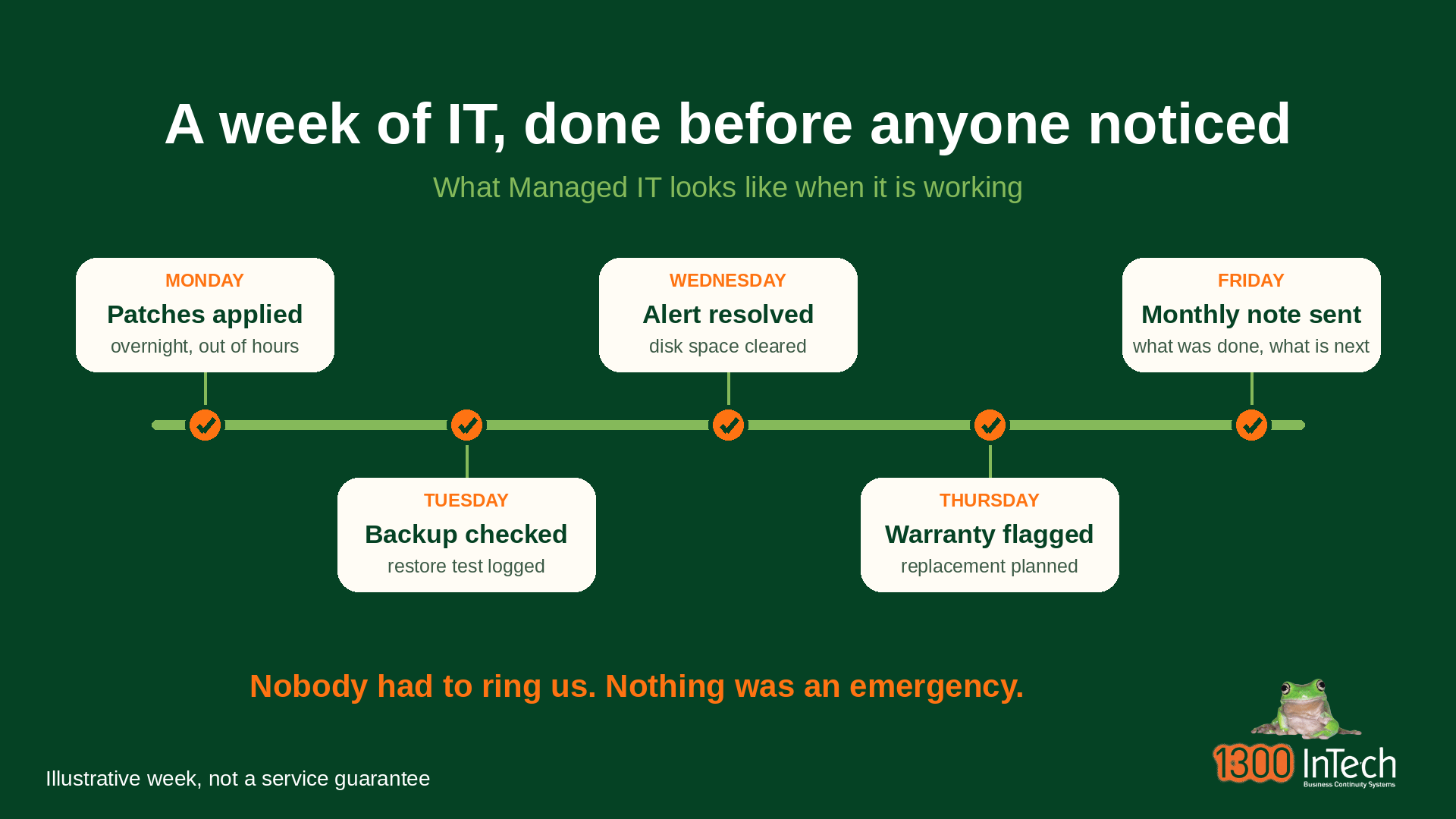
This is the benefit that most changes how your working week feels. Without it, you learn about a problem when it stops someone working. With it, software that proactively monitors your equipment, plus proactive maintenance on a schedule, catches a disk filling up, a backup job that failed overnight, or a machine that has dropped out of warranty, and somebody deals with it first. The practical effect is faster response times on the things that matter, because the fault was already in a queue before anyone noticed it. That is the proactive approach in a sentence.
Also, watch the direction of contact. If every conversation with your IT provider begins with you reporting something broken, you have support, not Managed IT, whatever the contract is called. This is the difference between break/fix and Managed IT, and it is the clearest single check.
A practical sign it’s working: a short monthly note from your provider listing what was patched, what was flagged and what is coming up. It does not need to be long, but it does need to exist.
Benefit 3: A shorter worst day
Nobody buys Managed IT for the average Tuesday. The value is in how bad the worst day gets.
Every business eventually has a bad day: a ransomware attempt, a failed server, an account taken over, a laptop left on a train. What separates a manageable day from a business-threatening one is mostly decided in advance, by whether the backups work, whether the recovery has been practised and whether someone knows the order in which to do things. That is business continuity in practice rather than a product name.
This is why we put more weight on recovery than on response times. A provider that answers a password reset in five minutes and has never restored a server is optimising the wrong thing. The measure that matters is the one almost nobody states in advance: how long until you are working again, and how do you know?
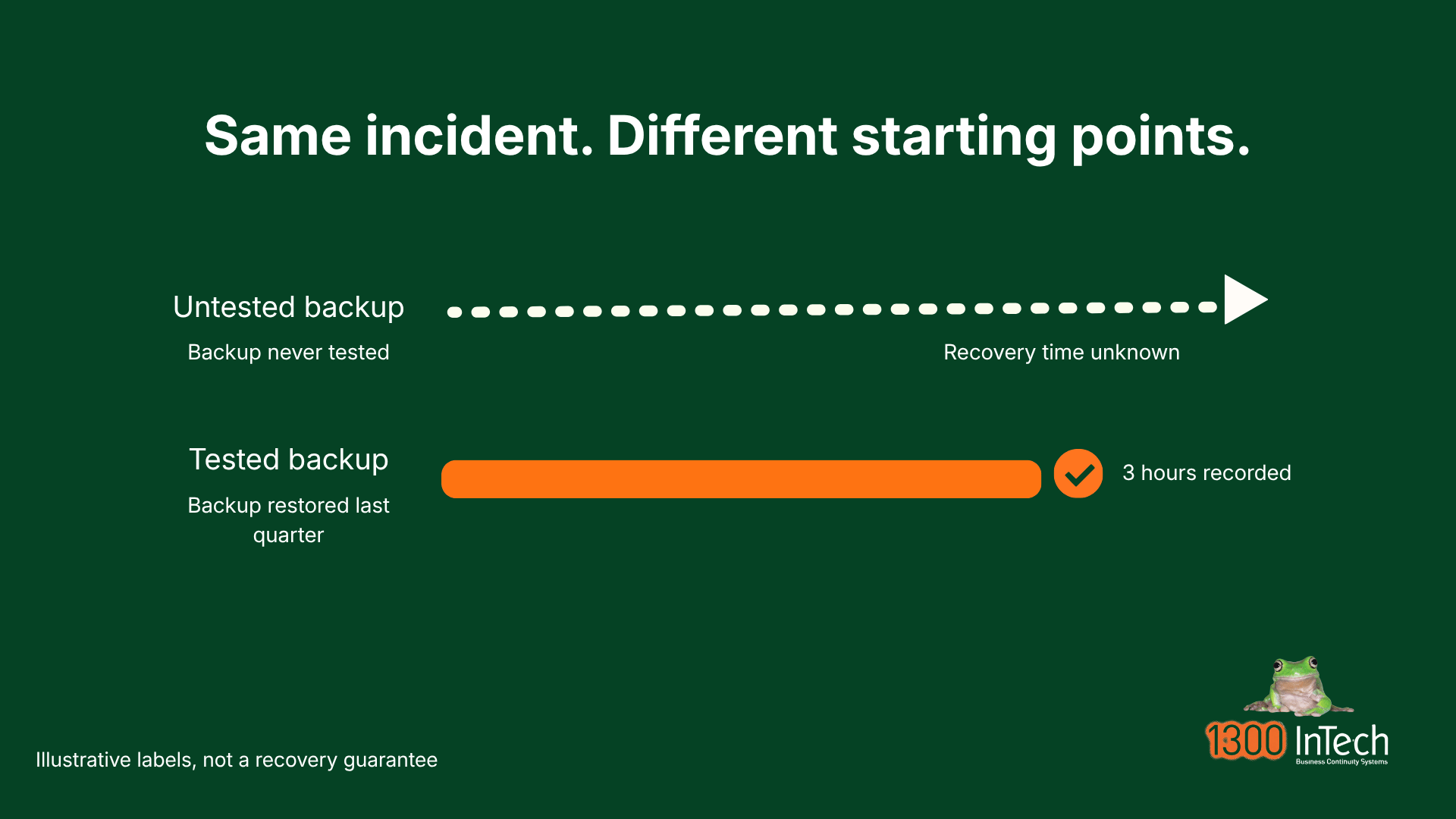
The test is a restore that has actually been done. Not a green tick on a backup report, but a file or a system brought back, with the time it took recorded. If your provider has never done that for you, ask them to do it now. It is a reasonable request, and a good provider will be glad you asked. Our automated data backups and disaster recovery pages describe how we approach it.
Benefit 4: A security baseline you can evidence
Security you cannot show to anyone else is hope, not a baseline.
Managed IT does not make any business bullet-proof. No arrangement does. What it provides is a consistent baseline, applied to every device and account, and, more usefully, a record of it. That matters more each year, because the people asking about your security have changed.
Larger customers, insurers and government buyers now send security questionnaires before they sign, and most are built on a recognised standard, such as the Essential Eight, which the Australian Signals Directorate is gradually replacing with its ASD Essentials series. Some buyers instead ask for SMB1001 or ISO 27001. Both the Essential Eight and Essentials are being maintained during the transition, and until regulators say otherwise your current obligations stand. Each sets out baseline controls. Is multi-factor authentication enforced everywhere? Are you patching to a schedule? Who has administrator rights? A business that has these details in hand can respond in an afternoon. One that has not can lose a contract while it scrambles for answers.
There is also a legal edge. Under the Cyber Security Act 2024, a business with annual turnover of $3 million or more must report a ransomware or extortion payment to the Australian Signals Directorate within 72 hours, and active compliance began on 1 January 2026. Three million dollars of turnover can be a dozen people. Having someone who already knows who reports what is a genuine benefit when the day arrives.
For scale, the Australian Signals Directorate put the average self-reported cost of cybercrime for a small business at $56,600 per report in 2024-25, up 14% in a year, and the Office of the Australian Information Commissioner recorded 1,205 data breach notifications in 2025, the highest in a year since the scheme began in 2018 (OAIC, July 2026). Neither figure shows that Managed IT prevents a breach. What they show is why the questions are being asked.
The test is the attachment. If a customer asked for your security evidence tomorrow, could you or your provider produce it? Our cyber security training pairs with this, because the baseline covers the technology and training covers the people using it.
Benefit 5: A team of skills, not one person
One employee cannot be expert at networking, security, Microsoft 365, backup and telephony at once.
A capable internal IT team, which in a small business usually means one person, is normally a strong generalist. That is exactly what you need for most days, and it is what they are good at. The gap appears on the unusual days: a firewall rule misbehaving, a Microsoft 365 tenancy that needs restructuring, an incident that needs someone who has seen it before.
A managed services provider (MSP) spreads specialists across many clients, so the skills are there when needed without a full salary for each. The benefit is not that the provider is smarter. It is that someone has done this ‘thing’ recently, for a business like yours.
The test is routing. Ask who handles a network problem and who handles a security one, and whether you would be passed between them or would deal with one point of contact who brings them in. The answer tells you whether the team exists in practice or only on paper. If you want to see what the front line looks like, our IT help desk page describes how requests are handled.
Benefit 6: Cover when someone is away
Annual leave, illness and resignation are the same event from a technology point of view.
When your technology depends on one person, holidays are a risk and resignations are a crisis. Your IT setup lives in their head and the passwords in their notebook. This is the first of the six signs in our 6 Signs Your Business Needs Managed IT blog for a reason: it is the most common arrangement in a small business, and the least often acknowledged.
A Managed IT arrangement moves the knowledge from one person to a documentation vault, and the day to day work into a queue that more than one person can work on. Requests go to a helpdesk, not to whoever happens to be in the office. If your office manager is the person everyone interrupts with IT questions, this benefit alone can be worth the cost.
The test is the question you would ask on a Friday afternoon: if our main contact at the provider left tomorrow, what would we lose? A good answer mentions documentation and a second person who already knows your environment.
Benefit 7: Technology that keeps up as you grow
The setup that suited ten people rarely suits thirty, and the change happens quietly.
Growth is hard on technology precisely because it’s good news. A new hire needs a laptop on Monday. Businesses operating from a second site need a network, and a larger customer wants cybersecurity evidence. If each of those is handled as a separate scramble, the business ends up with a patchwork nobody planned.
Managed IT gives growth a rhythm. Onboarding is a routine rather than a project, a new site is a quote rather than a discussion, and a planning conversation each quarter looks twelve months ahead at what needs updating, measured against your business goals rather than against last year’s invoice. Ageing equipment is the clearest example. Nobody replaces legacy technology reactively, because there is no incident to react to. It just gets older and slower until it fails, which is why it needs someone whose job includes noticing.
The test is a dated plan. Ask what will need replacing in the next twelve months and roughly what it will cost. A provider who can answer is paying attention. One who cannot has been waiting for things to break.
Managed IT compared with an in-house person
Not either/or for everyone, but the trade-offs are worth seeing side by side.
| Factor | One in-house IT person | Managed IT provider |
|---|---|---|
| Cost shape | A salary and on costs, whether or not there is work | A monthly fee for an agreed scope, with exclusions |
| Cover | One person, with a gap on leave or resignation | A team and a helpdesk |
| Depth of skill | Strong generalist | Specialists brought in as needed |
| Knowledge of your business | Deep, and often undocumented | Built through documentation, and only as good as the handover |
| Being on site | Always there | Remote first, on site when needed |
| Where it tends to go wrong | Single point of failure, nobody checks their work | A provider that stops giving you attention as you become a smaller client |
Many businesses end up with both: an internal person for the day-to-day, and a provider for technical depth, monitoring and cover. Our post on in-house versus outsourced IT support goes through that decision in more detail.
When Managed IT does not pay
It is not for everyone, and a provider who tells you otherwise is selling.
Managed IT is usually not worth it when:
- Your needs are small and stable. A handful of people, cloud tools, nothing unusual, and a trusted person already looking after it. A monthly arrangement can be more than the problem justifies.
- You are buying it for savings alone. If the only reason is a lower bill, the numbers may disappoint. The case rests on predictability and a shorter ‘worst’ day.
- You want no involvement. Managed IT works better when someone on your side owns the relationship, answers questions and attends the review. Handing it over entirely tends to disappoint both parties.
- The scope does not match what you need. A plan that covers your computers but not your phones, your Microsoft 365 or your backups leaves you managing the gaps yourself. Read what is in scope before you decide.
If that describes you, say so to any provider you speak with. A good one will tell you when you do not need them.
Two more 'Benefits' that may not be
Two more claims that sound like benefits. Guaranteed savings and total security are covered under Benefits 1 and 4.
• “Zero downtime.” Systems fail. What can be promised is how quickly you recover and how much warning you get beforehand.
• “Unlimited support.” Ask what unlimited means. It often means unlimited requests with a queue behind them, and certain categories of work quoted separately.
How to tell the benefits are being delivered
If you already have a provider, this is a short conversation rather than an investigation.
Most owners who already have a provider do not complain. They say, “it used to be better than this.” The costs creep up, the service slows, and it is hard to say when it changed. The third column of the table above is the real test, so take those seven questions to your next review and ask them. The one that most often surfaces a relationship that has drifted is the cover question (who answers if our main contact is on leave), because a vague answer about resourcing tells you where you now stand. If the answers leave you unsure, our post on signs your business needs Managed IT covers what to do next, including how to change provider without a disruptive handover.
Frequently asked questions
What are the main benefits of Managed IT services?
The key benefits of Managed IT are a predictable monthly cost, problems found before they reach you, a shorter recovery after something goes wrong, a security baseline you can evidence, access to a range of skills, cover when someone is away, and technology that keeps up with growth. The strongest is usually predictability, followed by a shorter worst day.
Do Managed IT services save money?
Sometimes. Many businesses spend about the same in total but pay it as one planned figure rather than a string of surprises. Some spend less, usually by replacing emergency callouts, and some spend more because work that was being skipped now gets done. Be cautious of any provider that guarantees savings.
Will I lose control of my systems with a Managed IT provider?
You should not. You should own your domain names, your Microsoft 365 tenancy, your licences and your data, and you should be able to ask for the documentation at any time. Ask who owns each before you sign.
Sources
| Source | Organisation | Date | Link |
|---|---|---|---|
| Annual Cyber Threat Report 2024-25, fact sheet for businesses and organisations | Australian Signals Directorate | October 2025 | cyber.gov.au |
| Mandatory ransomware and cyber extortion payment reporting, factsheet. Cyber Security Act 2024 and Cyber Security (Ransomware Payment Reporting) Rules 2025 | Department of Home Affairs | In force 30 May 2025, active compliance from 1 January 2026 | homeaffairs.gov.au |
| Essential Eight maturity model, and the ASD Essentials series | Australian Signals Directorate | Current | cyber.gov.au, Essentials |
| Data breach notifications increase to all-time high in 2025 (1,205 notifications, up 8%) | Office of the Australian Information Commissioner | 6 July 2026 | oaic.gov.au |


Alan Arthurson is the Managing Director of 1300 InTech and has worked in Melbourne's computing industry since 1970, from IBM mainframes to today's AI platforms. A member of the Australian Computer Society since 1984, he helps Australian small and mid-sized businesses run reliable, secure and well managed IT.
This article provides general information only and does not take account of your particular circumstances. Privacy, security and employment obligations vary by business. Seek advice suited to your situation.